Safe Rollouts

Releasing a new feature always carries risk. Even small changes can introduce regressions. Safe Rollouts reduce this risk by releasing to a subset of users while monitoring key metrics for issues.

note

Safe Rollouts is a GrowthBook Pro and Enterprise feature.

Overview

Safe Rollouts are a type of feature rule that lets you release a feature to a subset of users and automatically monitor guardrail metrics for regressions. Guardrails can be any metrics that matter to your team, such as error rates, latency, or conversions.

The rollout runs as a short-term A/B test:

  • The Control receives the existing value.
  • The Rollout receives the new value.

GrowthBook analyzes the impact of the rollout on your selected guardrail metrics and provides status updates indicating whether it’s safe to ship, whether issues have been detected, or whether you should consider rolling back.

How to Add a Safe Rollout

1. Select "Safe Rollout" When Adding a Rule

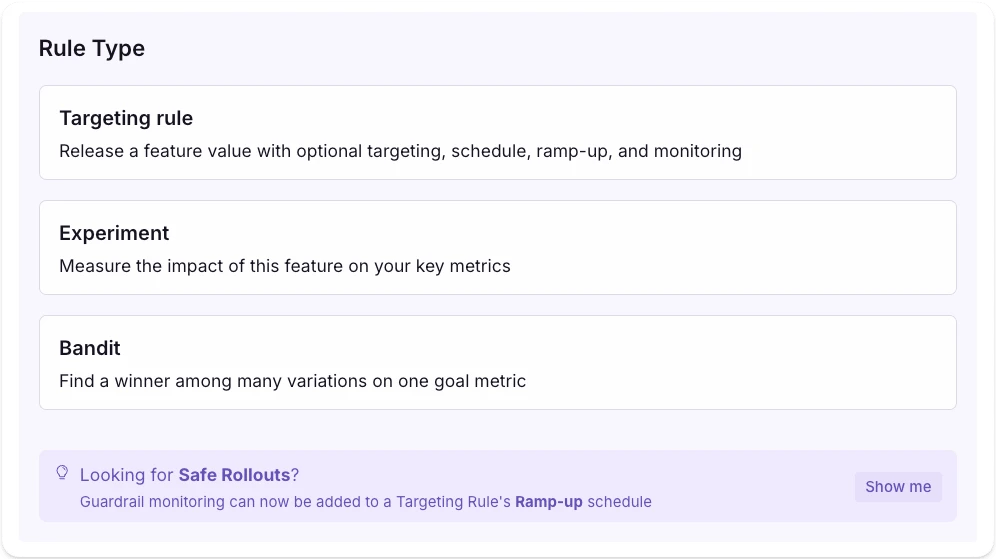
Add a safe rollout rule

When adding a new rule to your feature, select Safe Rollout from the list of options.

2. Configure the Safe Rollout

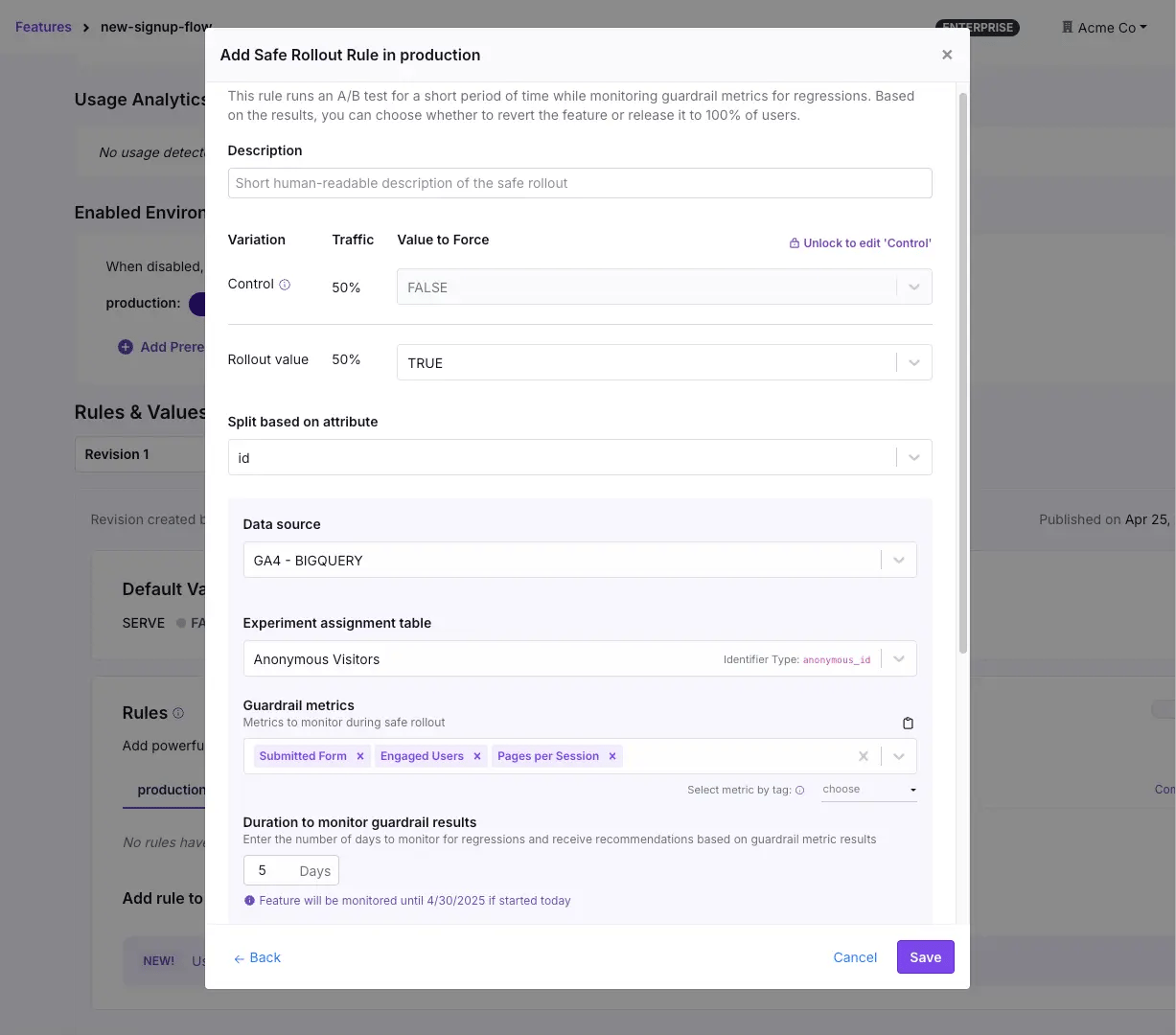
Safe rollout configuration
  • Rollout Value: Add or select the value to serve during the rollout. This is compared against the Control (default value).
  • Split Attribute: Choose the attribute for assigning users to the Control and Rollout groups (for example, id or organization_id).
  • Auto Rollback: Toggle this option to automatically disable the rollout rule if any guardrail metric fails significantly.

3. Define Metrics and Monitoring

  • Data Source and Assignment Table: Confirm your data source and the experiment assignment table for exposure tracking.
  • Guardrail Metrics: Select one or more metrics to monitor for regressions during the rollout.
  • Monitoring Duration: Set how many days to collect data before making a decision.

4. Ramp Up Schedule

Safe Rollouts automatically manage traffic exposure to ensure safety. The rollout follows a gradual ramp-up schedule:

10% → 25% → 50% → 75% → 100%

This ramp-up occurs over the first 25% of the monitoring duration. For example, if your duration is set to 4 days, the traffic will ramp from 10% to 100% during the first day. The remaining time is used to monitor the fully rolled-out feature for failing guardrail metrics.

5. Monitor the Rollout

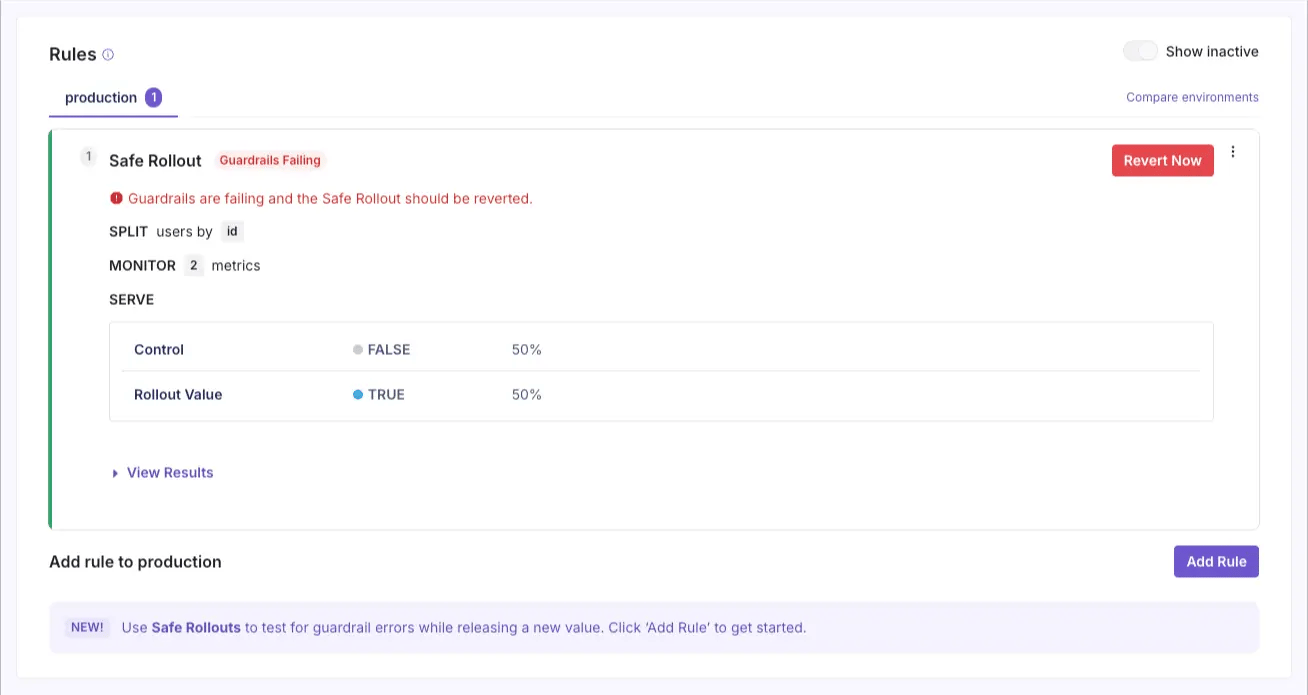
Safe rollout rollback now warning message

Once the rollout is published, GrowthBook begins monitoring the guardrail metrics. The rollout status updates automatically based on results.

Status indicators:

StatusMeaning
X days leftThe rollout is in progress. Monitoring continues.
UnhealthyTraffic is imbalanced. Check your implementation.
Guardrails FailingRegression detected. Consider reverting the change.
Ready to shipNo regressions detected and safe rollout duration completed. Ready to release fully.
No DataNo traffic detected after 24 hours. Check setup.
info

Guardrails are analyzed for failure using one-sided sequential testing, allowing you to roll back as soon as statistical significance is reached without fear of false positives. Your safe rollout is automatically monitored for implementation errors with sample ratio mismatch and multiple exposures checks.

Understanding the Time series graph

The safe rollout monitoring interface includes a time series graph that shows how your guardrail metrics are performing over time. This graph displays two key values:

Metric Boundary

The Metric Boundary is the statistical boundary for whether a safe rollout is failing. When it crosses zero, we have enough statistical certainty that the safe rollout is harming this metric. Technically, it is the [lower/upper] bound of the absolute change confidence interval between the baseline and the safe rollout groups.

Threshold

This is the threshold for when a metric is considered to be failing. It is always set to zero so that as soon as there is statistical certainty that a metric is being harmed at all (even for very small values), we consider a safe rollout as failing.

5. Take Action

At the end of the monitoring period (or sooner if issues arise), you can:

  • Release the feature to 100% of users (if not already there).
  • Revert the feature to the control value.
  • Continue to monitor.

If Auto Rollback is enabled and a regression is detected, GrowthBook will automatically disable the rollout rule to protect your users.

FAQs

How does the traffic ramp up work?

Safe Rollouts use a fixed ramp-up schedule (10% → 25% → 50% → 75% → 100%) that completes within the first 25% of your configured duration. This ensures you start with a small blast radius and quickly scale up if no immediate issues are found.

What happens if a guardrail metric degrades?

If a guardrail metric crosses a significance threshold indicating a regression, the rollout status will reflect the issue.

  • If Automatic Rollback is enabled, the feature will be automatically disabled to prevent further harm.
  • If Automatic Rollback is disabled, you retain control and can choose to manually stop or revert the rollout.

What should I use as my guardrail metrics?

Choose metrics that represent key system health or business outcomes. This might include error rates, latency, or conversion rates—whatever signals that the change is working as intended and not causing harm.

Choosing too many guardrail metrics could increase the chance of false positives, so find a balance between a good mix of critical metrics without adding too many.

How is this different from an experiment?

Safe Rollouts use the same analysis engine as GrowthBook experiments but are designed for operational decision-making, not learning. The primary goal is to ensure a safe release, not to measure long-term impact.

What happens if there isn’t enough data?

Safe Rollouts are built to help you ship confidently and reduce the chance of negative regressions. If any guardrail fails, we recommend rolling back your test.

If test results are still inconclusive after the set duration for your safe rollout, we recommend shipping, because there’s no clear evidence that the feature is harmful.

Safe Rollouts therefore bias towards action. If you are more uncertain about a feature and want to learn generally about its impact, we recommend running a regular Experiment.